
Adobe Premiere Pro – Introduction


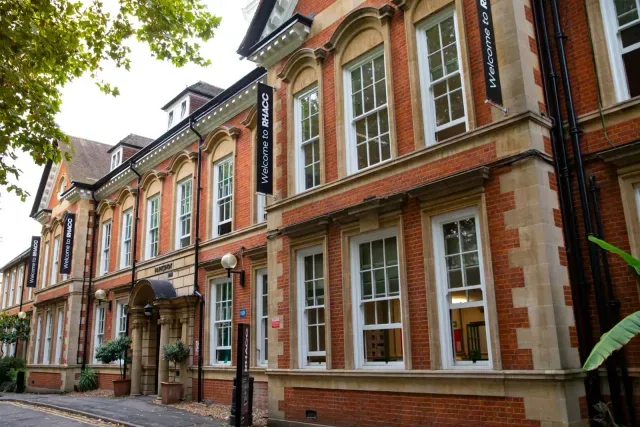

An introductory, tutor-guided course covering video editing, effects, sound, colour grading and exporting in Adobe Premiere Pro.
About this course
Participants work through the main stages of editing in Adobe Premiere Pro, from importing and organising media to assembling sequences and refining cuts with transitions, effects and adjustment layers. The course also covers titles, subtitles, keyframes, masks, colour grading, green-screen effects and export settings. Teaching combines step-by-step guidance, real-world examples and individual practical exercises. Learners develop a promotional video while receiving tutor feedback on their progress, including work with sound mixing and white balance.
What you'll learn
- Organise imported media and create sequences in Adobe Premiere Pro
- Use cutting, trimming, transitions, keyframes and masks to refine video edits
- Apply video effects, adjustment layers, colour grading and white-balance techniques
- Edit and mix different types of audio, including work with green-screen footage
- Add titles and subtitles and export completed video projects
Is this course right for you?
The course is open to all levels and explicitly welcomes complete beginners as well as learners with some existing experience. Participation involves guided demonstrations, individual practical tasks and regular practice with tutor feedback.
- Suitable for learners starting with Adobe Premiere Pro
- Includes individual tasks and progress checks through practical exercises
- Covers both introductory editing techniques and more developed features
Where this course runs
- Selected class
Parkshot, Richmond upon Thames, London TW9 2RE
Richmond upon Thames, London TW9 2RE
Nearest station: Richmond
View venue details ›
Upcoming classes
2 classes
Selected date
Wed 20 Jan 2027
10:00 – 13:30 • 6 weeks
£196
Parkshot, Richmond
Digital Skills team
Book this class →Other available dates
| Starts | Schedule | Length | Teacher | Venue | Price | |
|---|---|---|---|---|---|---|
20 Jan 2027 Wednesdays | 10:00 - 13:30 | Short course6 weeks | DigitalSkillsTeacher | ParkshotRichmond upon Thames, London TW9 2RE | £196.00 | Book now |
28 Apr 2027 Wednesdays | 18:40 - 21:00 | Short course9 weeks | DigitalSkillsTeacher | ParkshotRichmond upon Thames, London TW9 2RE | £196.00 |
Wed 28 Apr, 18:40 - 21:00
9 weeks9 weeksWed 18:40£196DigitalSkillsTeacherParkshot
