
Essential Digital Skills Bridging Course E3 to L1



A face-to-face bridging course covering core computer use, file management and introductory Microsoft Word, Excel and PowerPoint for learners progressing towards Level 1.
About this course
The course prepares learners for Level 1 Essential Digital Skills by developing core computer-use skills. Topics include organising and retrieving files, uploading documents, taking screenshots, using search techniques, and following safety and security practices. Teaching combines explanations, demonstrations, discussions and set tasks. Learners are introduced to Excel and PowerPoint and develop further Microsoft Word skills, including working with tables and image captions. Progress is reviewed through individual learning plan targets and tutor feedback.
What you'll learn
- Manage, store and retrieve digital files accurately
- Upload documents and capture screenshots
- Use search techniques to find information online
- Create and edit basic PowerPoint presentations
- Create and edit Excel spreadsheets
- Edit Word documents using tables and image captions
Is this course right for you?
This course is intended for learners bridging Essential Digital Skills Entry 3 and Level 1. It is aimed at people with some experience using a computer or tablet, including basic email, document and file-management skills. Learners should be working towards at least Level 1 English or ESOL and complete a pre-course assessment.
- Completion of Essential Digital Skills Entry 3 is recommended
- The course includes face-to-face group teaching with explanations, discussions and tasks
- Learners are expected to practise between classes
- A pre-course assessment is required for access
Before you go
- Learners need access to a computer or laptop and the internet to practise and apply the skills covered.
- Computers are available for learner use at local libraries.
- Recommended books and websites can be used for additional study and practice.
- A pen and notebook may be brought for taking notes.
Class teacher
Pratibha Patel
Class teacher
Where this course runs
Upcoming classes
1 class
Selected date
Mon 19 Apr 2027
13:00 – 15:00 • 11 weeks
Free
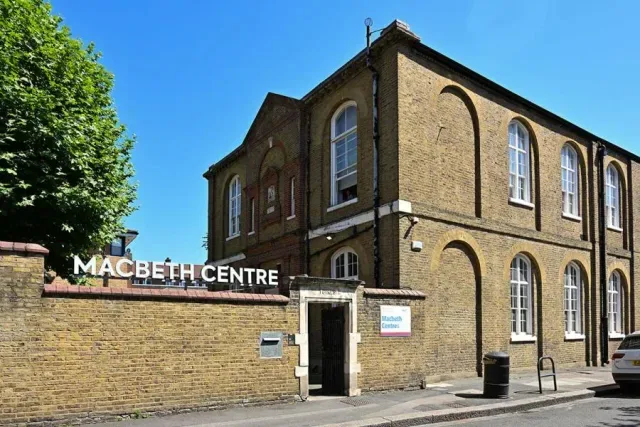
Macbeth Centre, Hammersmith
