
Essential Mac skills in a day: beginners


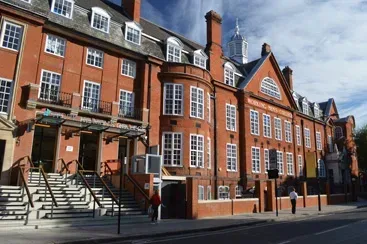

A beginner Mac course covering macOS navigation, file management, essential applications and differences between Mac and PC systems through guided practice.
About this course
Participants practise using macOS through demonstrations, guided exercises and short tasks. The course covers desktop navigation, folder and file organisation, system settings, and everyday applications including Finder, Safari and Mail. It also introduces key differences between Mac and PC systems, with activities designed to apply across both platforms. Learning takes place through supported practical sessions, with tutor feedback during the activities rather than formal assessment.
What you'll learn
- Navigate the Mac desktop and macOS operating system
- Organise files and folders using the Mac file system
- Use Finder, Safari and Mail for everyday tasks
- Adjust system settings and personalise the Mac workspace
- Explain key differences between Mac and PC systems
Is this course right for you?
The course is intended for adults aged 19+ who are new to Apple computers or returning to learning. The Beginner level indicates an introductory starting point, and learners take part in guided individual tasks with tutor support. No previous experience is required, although basic computer awareness may be helpful.
- No previous Mac experience is required
- Basic computer awareness is helpful but not essential
- Suitable for adults aged 19 and over
Before you go
- Mac computers are provided during the course, so participants do not need to bring equipment.
- A notebook may be useful for taking notes.
- No preparation or software installation is required before attending.
- Assistive equipment and access support may be available through reasonable adjustments, subject to an interview with the relevant support team.
- A certificate of completion can be provided on request.
Class teacher
Jorg Wagner
Class teacher
Where this course runs
Upcoming classes
5 classes
Selected date
Sat 14 Nov 2026
10:00 – 16:00 • 1 day
£49
WM College, Camden
Other available dates
| Starts | Schedule | Length | Teacher | Venue | Price | |
|---|---|---|---|---|---|---|
14 Nov 2026 Saturday | 10:00 - 16:00 | One-day class1 day | JorgWagner | WM College44 Crowndale Road, London NW1 1TR | £49.00 | Book now |
9 Jan 2027 Saturday | 10:00 - 16:00 | One-day class1 day | JorgWagner | WM College44 Crowndale Road, London NW1 1TR | £49.00 | |
6 Mar 2027 Saturday | 10:00 - 16:00 | One-day class1 day | JorgWagner | WM College44 Crowndale Road, London NW1 1TR | £49.00 | |
17 Apr 2027 Saturday | 10:00 - 16:00 | One-day class1 day | JorgWagner | WM College44 Crowndale Road, London NW1 1TR | £49.00 | |
26 Jun 2027 Saturday | 10:00 - 16:00 | One-day class1 day | JorgWagner | WM College44 Crowndale Road, London NW1 1TR | £49.00 |
Sat 9 Jan, 10:00 - 16:00
1 day1 daySat 10:00£49JorgWagnerWM CollegeSat 6 Mar, 10:00 - 16:00
1 day1 daySat 10:00£49JorgWagnerWM CollegeSat 17 Apr, 10:00 - 16:00
1 day1 daySat 10:00£49JorgWagnerWM CollegeSat 26 Jun, 10:00 - 16:00
1 day1 daySat 10:00£49JorgWagnerWM College
