Printmaking: digital artwork preparation

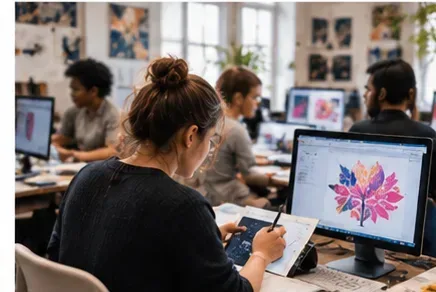


An improver-level workshop on using Adobe Photoshop to edit, prepare and output images for printmaking processes.
About this course
The workshop covers the digital preparation needed for print processes such as photoetching and screenprinting. Participants will import and clean imagery, adjust colour modes, cropping, contrast and levels, then resize files and set suitable resolutions. The course also introduces bitmap techniques, including halftone and stochastic dots, and considers the output requirements of different print processes. Teaching combines live demonstrations with workshop activities, supported by technical handouts and resources available through Google Classroom.
What you'll learn
- Import imagery from sources including cameras, phones, scans and online resources
- Use Photoshop tools to clean and edit images
- Resize files and set appropriate resolutions for printmaking
- Create halftone and stochastic dot effects using bitmap techniques
- Prepare and output images for different printmaking processes
Is this course right for you?
The course is intended for improver-level learners developing beyond fundamental Photoshop techniques and applying them to printmaking. Some basic Adobe Photoshop skills are required. Teaching involves live demonstrations followed by workshop activities, with no required work outside the class.
- Basic Adobe Photoshop skills are required
- Suitable for learners exploring digital preparation for printmaking
- Participation includes demonstrations and workshop activities
Before you go
- Learners need their own personal copy of Adobe Photoshop, Adobe Creative Cloud.
- Bring digital copies of any imagery to use during the workshop.
- Bringing ideas and imagery to work from is suggested but not required.
Class teacher
Claire Hynds
Class teacher
Where this course runs
Upcoming classes
2 classes
Selected date
Mon 8 Mar 2027
18:00 – 21:00 • 3 weeks
£159
Keeley Street, Covent Garden
Other available dates
| Starts | Schedule | Length | Teacher | Venue | Price | |
|---|---|---|---|---|---|---|
8 Mar 2027 Mondays | 18:00 - 21:00 | Short course3 weeks | ClaireHynds | Keeley StreetWC2B 4BA | £159.00 | Book now |
12 May 2027 Wednesdays | 18:00 - 21:00 | Short course3 weeks | ClaireHynds | Keeley StreetWC2B 4BA | £159.00 |
Wed 12 May, 18:00 - 21:00
3 weeks3 weeksWed 18:00£159ClaireHyndsKeeley Street